Best Zcash Wallets for Casino Play

Short answer: Use a shielded-first, self-custody wallet that is Ironwood-ready - Zodl, Zingo! or Zkool are the maintained ZEC-native picks. Let it fully sync before judging a balance, set the birthday height before your first transaction, and on a restore enable "internal change" so older notes stay visible.
Your wallet is the part of the gambling route you fully control. Pick it badly, or restore it carelessly, and even a flawless casino payout turns into a support saga. That was already true before 2026 - and this year the ground moved: a network upgrade retired Zcash's old shielded pool, one long-standing wallet dropped the coin entirely, and a public thread about "the same seed shows two balances" turned into the most useful wallet lesson of the year.
This guide covers what to use now, the sync behaviours that cause false alarms, and the restore traps that make balances look lost. The short version: shielded-first, self-custody, Ironwood-ready, and set up deliberately once.
table of contents
What changed in 2026: the Ironwood era
Zcash's NU6.3 upgrade, called Ironwood, activated on mainnet at block 3,428,143 on 2026-07-28 [5][8]. It introduced a new shielded pool built on the Orchard protocol but backed by formal verification and independent audits, and it closed the old Orchard pool to new deposits and internal transactions - Orchard funds can now only move forward through a protocol turnstile into Ironwood [6][12].
For a wallet, that is not a cosmetic update. A wallet that cannot read the Ironwood pool cannot see a shielded payout that lands there, and a wallet stuck on the old pool cannot spend Orchard notes forward. The practical result: after mid-2026, "which wallet" and "which wallet version" became the same question.
Two projects did not survive the transition, and both are worth naming because they still show up in app stores and search results:
- YWallet dropped Zcash support after NU6.3; its author's successor is Zkool [1][11].
- zcashd, the original full node, reached end of life on 2026-07-18 and cannot follow the network. Its replacement is Zallet, a desktop wallet that runs alongside a Zebra node [1][8].
Which wallets to use now
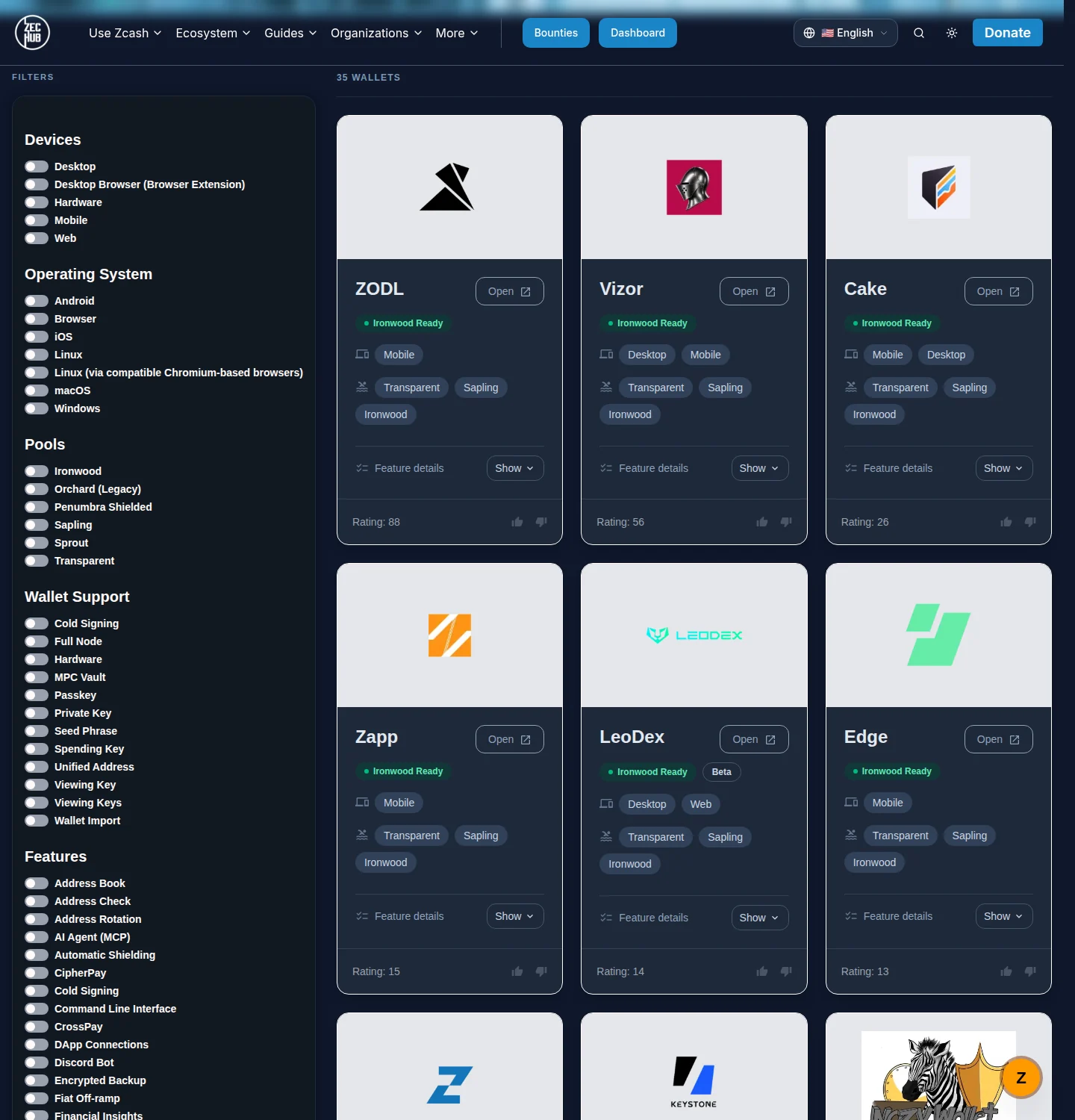
The maintained, shielded-first ZEC-native wallets today centre on a handful of projects [1]:
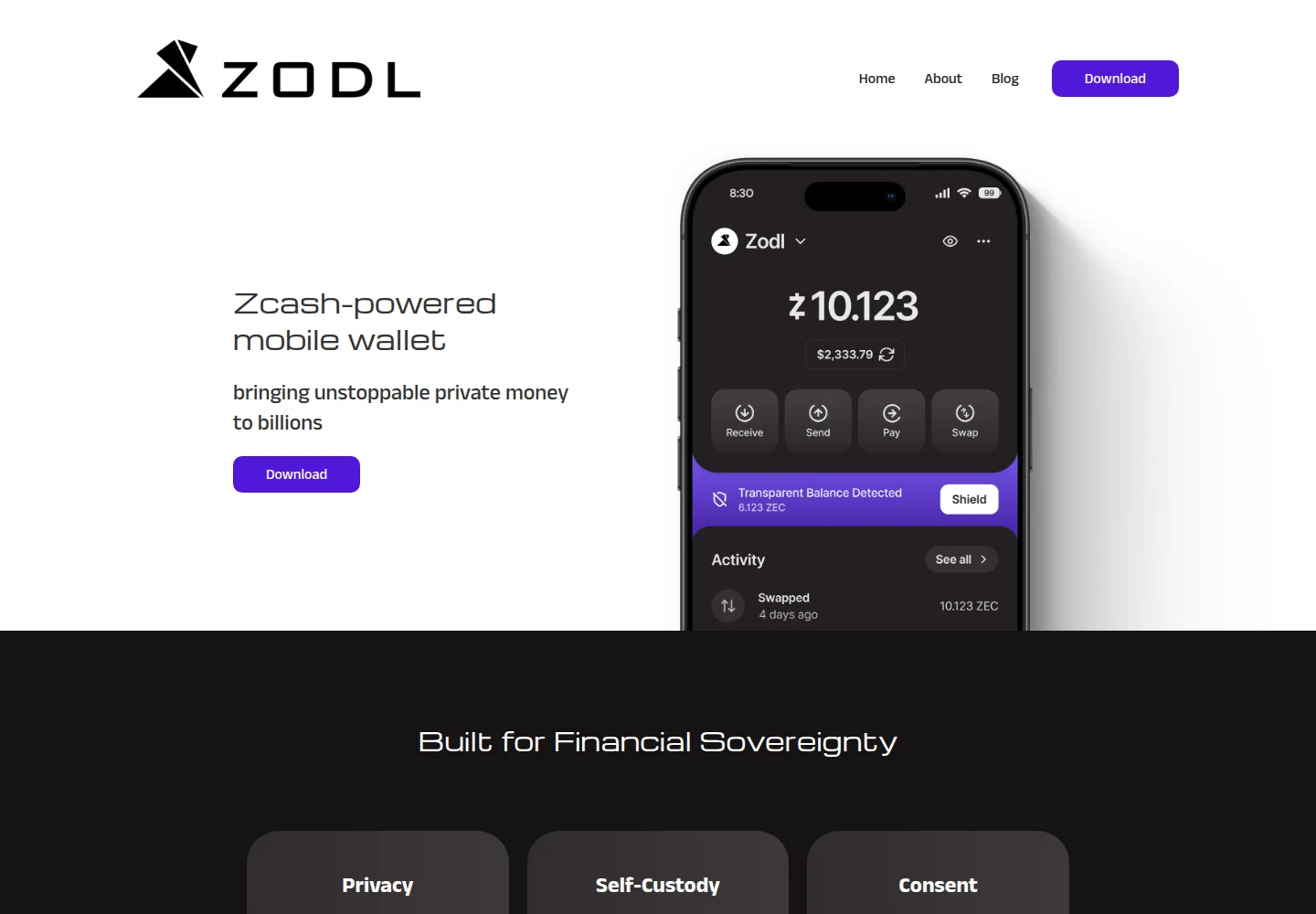
- Zodl (formerly Zashi) - the flagship ZEC-native mobile wallet, self-custody and shielded by default. The rename from Zashi required no new seed and no funds movement [2]. Version 3.9.0 added a guided Ironwood migration (with a privacy-preserving gradual option) and Tor protection during migration [7].
- Zingo! - a long-standing shielded-first wallet across mobile and desktop [1].
- Zkool - the successor to YWallet and the most import-compatible of the group: it can restore 12-24 word seeds, unified viewing keys, legacy zcashd shielded keys, transparent xpubs and more, and it derives change the ZIP 316 "internal" way that Zodl uses [11].
- Zallet - the desktop wallet replacing zcashd, still marked beta on the tracker [1].
General multi-asset wallets (Edge, Cake, Unstoppable and others) also appear on the tracker, but with varying pool coverage - usable, but check which pools they actually read before you rely on one for a casino flow [1].
Three criteria outrank everything else for gambling: Ironwood-ready shielded support (see shielded vs transparent for why that decides your payout privacy), self-custody (a custodial wallet re-introduces the exact counterparty risk ZEC was supposed to remove), and active maintenance - wallet code moves fast in Zcash, and the 2026 upgrade proved that an unmaintained wallet stops working.
Sync: why "visible but not spendable" is usually fine
The single most common false alarm: a wallet shows a balance but refuses to send. The documented causes, in order of likelihood:
- Partial sync. Shielded wallets scan the chain for your notes; until the scan catches up, the balance is incomplete and spends can fail. A Zingo user's 2024 report of a visible-but-unspendable balance resolved exactly this way: finish the sync [4].
- Version lag or server errors. An outdated wallet against a current network produces errors that look like missing funds [5].
- Confirmation policy. ZIP 315 recommends that wallets treat received third-party ZEC as spendable only after 10 confirmations, and self-created ("trusted") notes after 3 [9]. At Zcash's 75-second block target, ten confirmations is roughly twelve minutes [10]. A locked balance right after a payout is usually that policy, not a glitch.
Modern wallets have made the wait shorter. Zodl's Slipstream sync engine cut a full wallet restore from nearly 17 minutes to 43 seconds on an iPhone 16 Pro, and from over an hour to under five minutes on a 2018 iPad [7]. The casino-review corollary still holds: before opening a support ticket for a "missing" payout, let your wallet fully sync.
Restores, seeds and the change-derivation trap
Restoring the same Zcash seed across different wallets can show different balances in each - a documented case where the same recovery phrase produced roughly 0.19 ZEC in Zodl but about 0.10 ZEC in YWallet and Zkool [3].
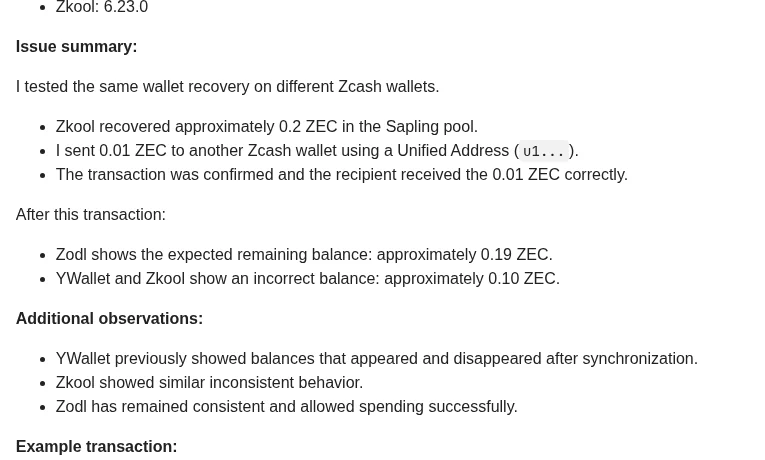
The cause is not lost funds. Different wallet families derive the change address differently, so a wallet that does not recognise its predecessor's change notes underreports until it is told to look. Zodl derives change the ZIP 316 "internal" way; Zkool and YWallet default to external change [3][11].
What to do about it:
- In Zkool, open Advanced options and enable "use internal change" when importing a Zodl account, then rescan [3].
- A "lost" balance is therefore often an invisible one. Use the wallet's own rescan or restore options before concluding anything [3].
- Birthday height: when importing a seed, set the birthday/restore height to before your first transaction. Wallets default to the Sapling era (late 2018), so funds received before that need an earlier start height or they stay invisible [3].
- Never paste your seed into a wallet because "support" told you to. Wallet recovery never requires an outsider seeing the seed - a scam-watch pattern we document across the industry.
Hardware wallets and transparent-only tools
Hardware wallets are excellent for cold storage, but Zcash is a special case: pool coverage varies by device and firmware, and the ZecHub tracker now shows hardware and multi-asset wallets at different Ironwood-readiness levels [1]. A transparent-only wallet makes every casino deposit and payout a public, permanent record on the transparent pool - which defeats the privacy you chose ZEC for in the first place.
The working split: keep savings on hardware, keep the gambling float in a shielded-first software wallet. The deposit walkthrough shows how the address type you hand each operator decides what the chain records.
Wallet hygiene for gamblers
- Dedicated wallet for the gambling float. Casino deposits and payouts cycle through it; savings never touch it.
- One casino route, one receiver discipline. Paying attention to which address type you hand each operator keeps your deposit route clean and your payout evidence simple.
- Update before big movements. Wallet updates around network upgrades are not optional chores - the 2026 transition deprecated at least one wallet outright [1][5].
- Keep the send record. For shielded payouts, your wallet's own transaction record is the only proof you will ever have - screenshot it with the transaction ID before closing the app. The withdrawals guide covers what counts as evidence.
- Beware wallet-support DMs. Users who post about wallet problems get private messages offering "repair". Real support does not need your seed, your screen or your money.
The wallet is your bank and your receipt book at once. Set it up deliberately once - then every casino interaction downstream gets easier, starting with getting ZEC into it. If you are still deciding which wallet fits your threat model, the no-KYC picks show which operators match a shielded-first setup.
FAQ
Do I need the official Zcash wallet?
There is no single official wallet. ZecHub tracks 35 of them with live Ironwood-readiness badges [1]. What matters is self-custody, shielded support and active maintenance. Keep the Zodl/Zashi rename in mind when comparing app-store listings [2].
Why does my restored wallet show less than I had?
Most often the wallet is still syncing, or it derives change differently than the wallet you came from - the same seed can show different interim balances in different wallets [3]. In Zkool, open Advanced options and enable "use internal change", then rescan; Zodl derives change the ZIP 316 way, which is why a plain restore can miss its notes [3][11].
What is a birthday height?
The block height from which a restore starts scanning. Set it before your first transaction, or earlier, when importing a seed into any wallet - a birthday after your deposits makes them invisible until a full rescan. Old wallets default to the Sapling era, so pre-2018 funds need a rescan from an earlier height [3].
Should I keep my casino balance in the same wallet as my savings?
No. Separate your gambling float from savings at the wallet level. A dedicated wallet keeps casino traffic away from your main balance and keeps one bad update, clipboard malware or a phishing DM from touching everything.
My wallet shows a balance but will not send - what now?
In order of likelihood it is an unfinished sync, a version lag or the confirmation policy. Let the scan reach 100%, update to an Ironwood-era build, and remember received third-party ZEC stays locked for about 10 confirmations (roughly twelve minutes at 75-second blocks) [4][5][9][10].
Which wallets still work after the Ironwood upgrade?
Any wallet marked Ironwood-ready on the ZecHub tracker. YWallet dropped Zcash support after NU6.3 and zcashd reached end of life on 18 July 2026 - both are superseded by Zkool and Zallet respectively [1][8][11].
Is a hardware wallet safe for shielded ZEC?
Hardware wallets are strong for cold storage, but Zcash pool coverage varies by device and firmware - check the Pools badges on the tracker before trusting one for a shielded payout [1]. For a gambling float, a shielded-first software wallet is usually the better fit.
Why did YWallet stop working?
YWallet dropped Zcash support after the NU6.3 Ironwood upgrade in 2026. Its author's successor wallet is Zkool, which can import the same recovery data [1][11].
Ready to pick a casino? The comparison table has the live values, the finder narrows them down:
Sources
- ZecHub wallet tracker - 35 Zcash wallets with Ironwood-readiness, pool and feature badges (accessed 2026-10-22) - accessed 2026-10-22
- Zcash forum: Zashi is becoming Zodl (2026-02-16) - rename facts, no new seed needed - accessed 2026-10-22
- Zcash forum: same seed, different balances across Zodl, Zkool and YWallet (andreas71, 2026-07-16) plus the 'use internal change' fix (Autotunafish) - accessed 2026-10-22
- Zcash forum: Zingo Sync Issue - visible balance not spendable while syncing (2024) - accessed 2026-10-22
- Zcash forum: Ironwood is Here! Updated Wallets, Libraries (2026-07/08) - activation, turnstile and migration stats - accessed 2026-10-22
- Zodl blog: Ironwood - a new shielded pool for Zcash (2026-06-06) - accessed 2026-10-22
- Zodl blog: Zodl 3.9.0 - Ironwood migration and the Slipstream sync engine (2026-08-07) - accessed 2026-10-22
- Zcash Foundation forum: Zebra, Zakura, and the road through NU6.3 (2026-07-16) - zcashd end of life and the Ironwood activation height - accessed 2026-10-22
- ZIP 315: Best Practices for Wallet Implementations - the recommended 10/3 confirmation policy - accessed 2026-10-22
- ZIP 208: Shorter Block Target Spacing - 75-second blocks after Blossom - accessed 2026-10-22
- Zcash forum: Zkool - the successor to YWallet (2025-05-01) - account formats, internal change derivation (ZIP 316) - accessed 2026-10-22
- Zcash forum: Migration from Orchard to Ironwood in Zcash wallets (2026-07-23) - accessed 2026-10-22
Further reading
- Zodl - official wallet site and downloads - the flagship ZEC-native mobile wallet, self-custody and shielded by default
- ZecHub wallet tracker - community-maintained list of every Zcash wallet with live Ironwood and pool badges
- Zkool (GitHub) - the multi-account successor to YWallet, with the widest import compatibility
- Zingo! mobile (GitHub) - cross-platform shielded-first wallet, source and releases
- ZIP 315: Best Practices for Wallet Implementations - the standard behind the 10/3 confirmation policy and balance reporting
- Zcash community forum - where wallet developers answer restore, sync and migration questions directly